





Just found this link, and there seems to be a day left on the giveaway.
Free 1-Year License Bitdefender Total Security 2015 (100% discount)
Normally $69.95
Sale (givaway) ends in 1 day 21 hrs 43 mins - Seems this giveaway is still going. The counter on original site has been added to multiple times.
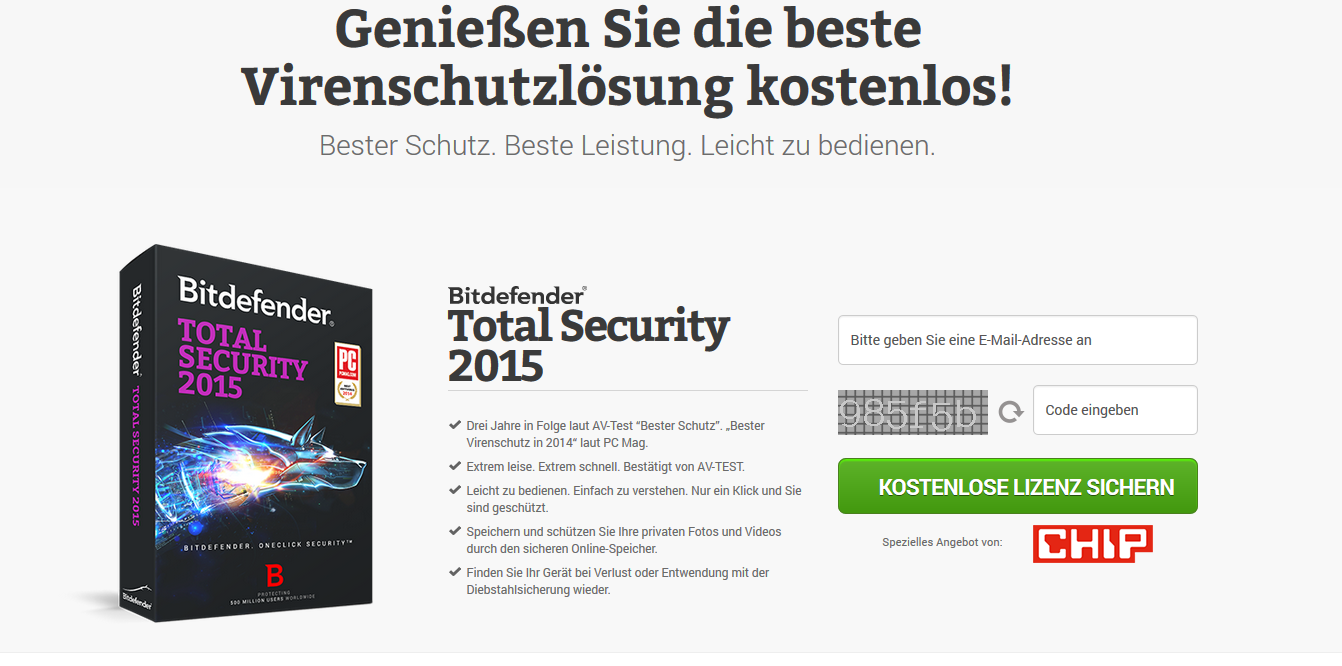
Only drawback is the page is in German, or something. but it was easie for me to figure out,
just put your email in the obvious box and do the capatcha
(original link i got the offer from, but may be skippable by going to direct link below)
http://sharewareonsale.com/s/bitdefender-total-security-giveaway-sale
Direct Link (should work)
http://www.bitdefender.de/media/html/chip2015/
The page is in German, but the key can be used on the English version. The link in the bitdefender email will be for for the German version, but the following links should work for english version.
English Version links:
English Version links:
Download 1: (32-bit) Bitdefender Total Security 2015
http://download.bitdefender.com/windows/desktop/t_security/2015/en-us/bitdefender_ts_18_32b.exe
Download 2: (64-bit) Bitdefender Total Security 2015
http://download.bitdefender.com/windows/desktop/t_security/2015/en-us/bitdefender_ts_18_64b.exe
[caption id="attachment_495" align="alignleft" width="300"] BitDefender[/caption]
I got my email with key a sec after i submitted it.
Turns out my license i got a few months ago from the last giveaway was still valid (was from a 6 month free offer), and this extended it.
BitDefender[/caption]
I got my email with key a sec after i submitted it.
Turns out my license i got a few months ago from the last giveaway was still valid (was from a 6 month free offer), and this extended it.
 BitDefender[/caption]
I got my email with key a sec after i submitted it.
Turns out my license i got a few months ago from the last giveaway was still valid (was from a 6 month free offer), and this extended it.
BitDefender[/caption]
I got my email with key a sec after i submitted it.
Turns out my license i got a few months ago from the last giveaway was still valid (was from a 6 month free offer), and this extended it.
Dear Bitdefender user! Your license is currently valid for 6 months. The license will be extended in February to 12 months.
Recommended Comments