Skip to content
View in the app

A better way to browse. Learn more.

Grunch

A full-screen app on your home screen with push notifications, badges and more.

To install this app on iOS and iPadOS
  1. Tap the Share icon in Safari
  2. Scroll the menu and tap Add to Home Screen.
  3. Tap Add in the top-right corner.
To install this app on Android
  1. Tap the 3-dot menu (⋮) in the top-right corner of the browser.
  2. Tap Add to Home screen or Install app.
  3. Confirm by tapping Install.

Battlefield 6 Official Multiplayer Gameplay Trailer

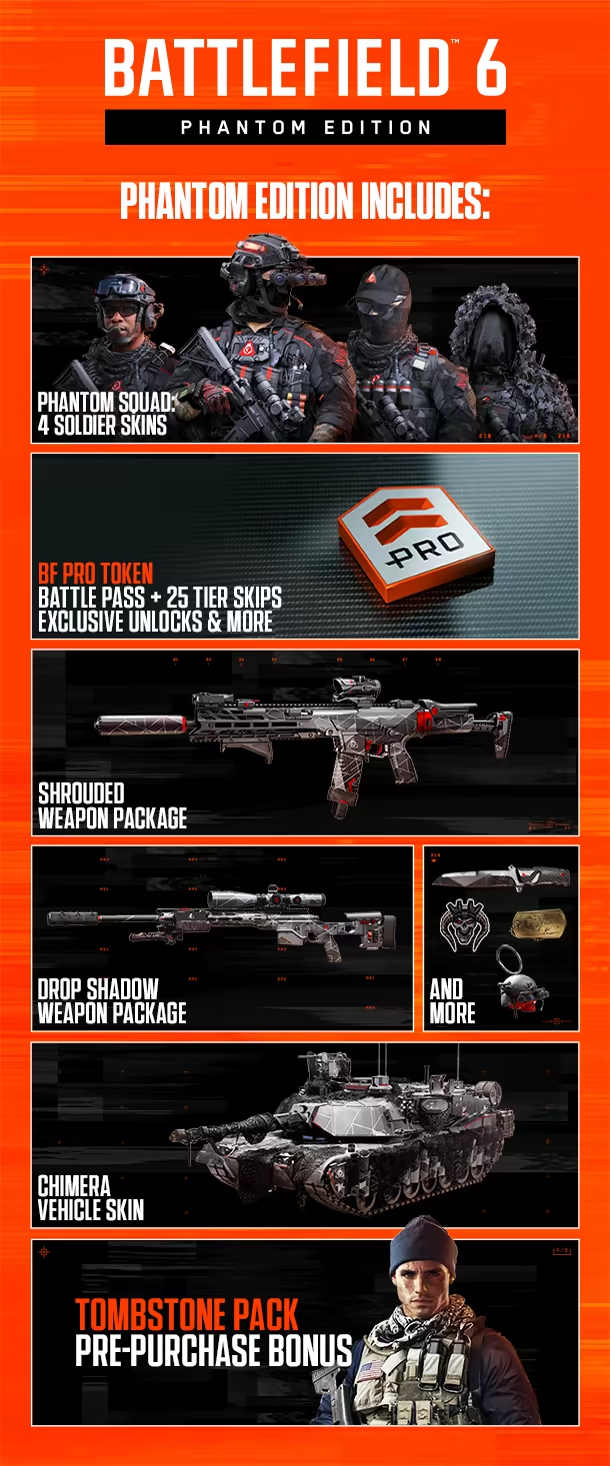
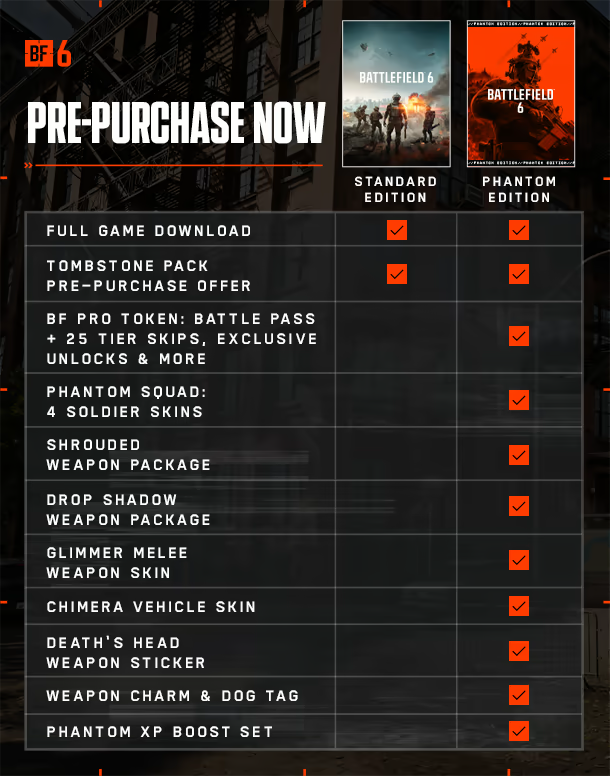
Looks pretty cool, and there are going to be two versions of the game: Standard, and Phantom.
d7353bf8bb969b9b54063c7751993d38.avif

fb46232ae1449842561d20123bf2ca82.avif

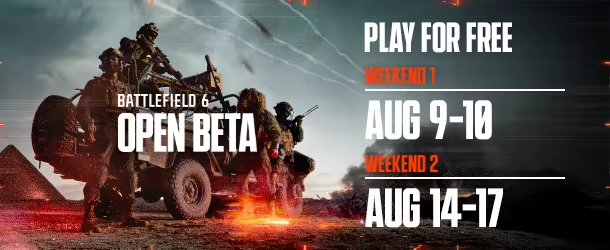
The game will be released on October 10th, with open beta's starting next week. I hope to be streaming it.
50d8835555d9664ea0518b3462a98d63.avif

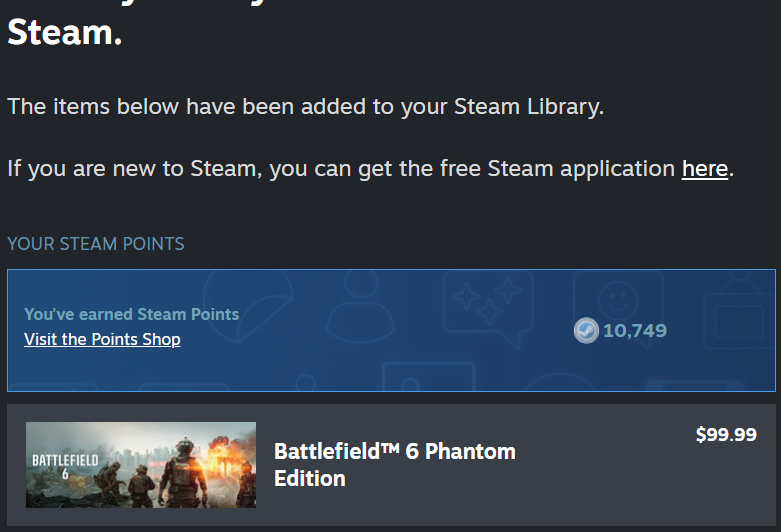
edit: I know I said that I wasn't going to prepurchase the elite, or premium editions. But i never said anything about the Phantom Edition. haha. MailClient_2025-07-31_14-13-39-722x492.p
User Feedback

Recommended Comments

There are no comments to display.

Account

Navigation

Search

Search

Configure browser push notifications

Chrome (Android)
  1. Tap the lock icon next to the address bar.
  2. Tap Permissions → Notifications.
  3. Adjust your preference.
Chrome (Desktop)
  1. Click the padlock icon in the address bar.
  2. Select Site settings.
  3. Find Notifications and adjust your preference.