





Update - September, 24 2015 - Got Warrant Replacement, click to read.
I wrote a review a month or so back on the Zagg Invisible Shield Glass Screen Protector, which over all I gave a low rating due to it cracking on application, and over all price vs quality.
[caption id="attachment_2417" align="alignleft" width="225"] Tech Armor Package[/caption]
For a while I've been debating between the Zagg InvisibleShield protector, and the Tech Armor one on Amazon. I assumed the Tech Armor would be of cheap low, quality due to its low price tag, the Zagg InvisibleShield would be of high quality due to its high price tag. As it turns out, I was completely wrong!
I could pay $5 and have my Zagg InvisibleShield replaced with the "lifetime warranty" that it came with - which I may due just to review the process and see if they even follow through, or screw me and charge me full price again, or buy the Tech Armor protector for $10, and be done with it.
I ordered the Tech Armor HD Clear Ballistic Glass Screen Protector on Amazon on July 5th, for $7.95 plus $2.99 Standard shipping which totaled $10.94, and received it on July 9th, which only took 4 days via USPS.
The package came in a nice branded package, and within that package was my order invoice, along with the Tech Armor retail box with the product inside of that.
[caption id="attachment_2418" align="alignright" width="300"]
Tech Armor Package[/caption]
For a while I've been debating between the Zagg InvisibleShield protector, and the Tech Armor one on Amazon. I assumed the Tech Armor would be of cheap low, quality due to its low price tag, the Zagg InvisibleShield would be of high quality due to its high price tag. As it turns out, I was completely wrong!
I could pay $5 and have my Zagg InvisibleShield replaced with the "lifetime warranty" that it came with - which I may due just to review the process and see if they even follow through, or screw me and charge me full price again, or buy the Tech Armor protector for $10, and be done with it.
I ordered the Tech Armor HD Clear Ballistic Glass Screen Protector on Amazon on July 5th, for $7.95 plus $2.99 Standard shipping which totaled $10.94, and received it on July 9th, which only took 4 days via USPS.
The package came in a nice branded package, and within that package was my order invoice, along with the Tech Armor retail box with the product inside of that.
[caption id="attachment_2418" align="alignright" width="300"] Tech Armor Retail Package[/caption]
Unlike the InvisibleShield, the Tech Armor protector game with many tools to help apply the screen properly, such as full instructions, which also linked to an Online Video if anyone needed more help, a cleaning cloth, alcohol wipe, hard plastic thing to help get bubbles out, and some sticky dust remover tape?. The tape actually was the most helpful. Such a simple idea, no idea why Zagg doesn't provide them with the InvisibleShield.
[caption id="attachment_2419" align="alignleft" width="265"]
Tech Armor Retail Package[/caption]
Unlike the InvisibleShield, the Tech Armor protector game with many tools to help apply the screen properly, such as full instructions, which also linked to an Online Video if anyone needed more help, a cleaning cloth, alcohol wipe, hard plastic thing to help get bubbles out, and some sticky dust remover tape?. The tape actually was the most helpful. Such a simple idea, no idea why Zagg doesn't provide them with the InvisibleShield.
[caption id="attachment_2419" align="alignleft" width="265"]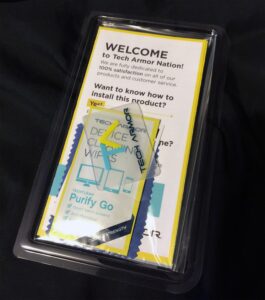 Tech Armor Protector[/caption]
The Protector applied without a single issue. I actually placed it on wrong and the positioning was out of place, but unlike the InvisibleShield, I was able to easily take it back off and replace it. It doesn't seem to instantly stick the way the InvisibleShield does. It's actually quite magical looking when it finally sticks because you basically touch it with your finger firmly in the middle and you can see the air between the protector and screen get squeezed out all by itself. Than wallah! Its applied.
Applying the Tech Armor was completely effortless, other than cleaning the phones screen.
[caption id="attachment_2420" align="alignright" width="300"]
Tech Armor Protector[/caption]
The Protector applied without a single issue. I actually placed it on wrong and the positioning was out of place, but unlike the InvisibleShield, I was able to easily take it back off and replace it. It doesn't seem to instantly stick the way the InvisibleShield does. It's actually quite magical looking when it finally sticks because you basically touch it with your finger firmly in the middle and you can see the air between the protector and screen get squeezed out all by itself. Than wallah! Its applied.
Applying the Tech Armor was completely effortless, other than cleaning the phones screen.
[caption id="attachment_2420" align="alignright" width="300"]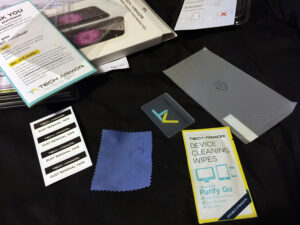 Tech Armor Contents[/caption]
It's hard to compare the quality of the Tech Armor, and the InvisibleShield. They are both crystal clear smooth displays with rounded edges. The Tech Armor Glass feels a bit thicker, I can feel it it around my thumb when I push the home button, but its not much thicker. I can't actually find the dimensions online for it though. It's not a bad thing that its thicker, because unlike the super thing InvisibleShield, the Tech Armor glass didn't crack when during the application process.
[g1_quote author_image="http://www.grunch.com/legacy/uploads/2015/07/ta_logo_white.png" g1_quote author_name="Tech Armor" author_url="http://www.techarmor.com/warranties-replacements-refunds" author_description_format="%link%" align="center" size="s" style="solid" template="01"]
Replacements
As screen protectors can be challenging to install, even for the best of us, we again offer the best warranty in the business. We will replace screen protectors that are messed up during the installation process, or are damaged in use, FREE of Charge. At our discretion we will even offer to pay the freight to get the replacements to you. We want your device protected, the Tech Armor way.
[/g1_quote]
[caption id="attachment_2416" align="alignright" width="300"]
Tech Armor Contents[/caption]
It's hard to compare the quality of the Tech Armor, and the InvisibleShield. They are both crystal clear smooth displays with rounded edges. The Tech Armor Glass feels a bit thicker, I can feel it it around my thumb when I push the home button, but its not much thicker. I can't actually find the dimensions online for it though. It's not a bad thing that its thicker, because unlike the super thing InvisibleShield, the Tech Armor glass didn't crack when during the application process.
[g1_quote author_image="http://www.grunch.com/legacy/uploads/2015/07/ta_logo_white.png" g1_quote author_name="Tech Armor" author_url="http://www.techarmor.com/warranties-replacements-refunds" author_description_format="%link%" align="center" size="s" style="solid" template="01"]
Replacements
As screen protectors can be challenging to install, even for the best of us, we again offer the best warranty in the business. We will replace screen protectors that are messed up during the installation process, or are damaged in use, FREE of Charge. At our discretion we will even offer to pay the freight to get the replacements to you. We want your device protected, the Tech Armor way.
[/g1_quote]
[caption id="attachment_2416" align="alignright" width="300"] iPhone 6 Tech Armor Protector[/caption]
The Tech Armor warranty is even better, like Zagg, Tech Armor offers a Lifetime warranty, but unlike Zagg, Tech Armor doesn't charge a dime, and there doesn't seem to be a sneaky process to recharge you full price for the product.
For less than $10, this is a no brainer. With Zagg you just over pay for no good reason and get sub par quality, Skip the Zagg over priced garbage, and go with Tech Armor. You will not regret it.
Update: September 24, 2015 - Last week I noticed the screen protector got shattered on an edge. Not sure how though. On Monday the 21st I went to Tech Armor's warrant replacement page, filled out the info, and submitted the form.
On Thursday I received the replacement in the mail. WOW! The replacement wasn't just a screen, it was the full retail product in the full retail box just as I had gotten originally. This is seriously amazing!
There were no costs with the replacement. Simply submit the form, that's it. Didn't have to prove to them that it's broken as you do with Zagg. I'm actually shocked by how easy this was.
Amazing company.
Update October 10th, 2015 - AMAZING! The replacement screen got messed up when I tried to apply it. I went to order another one, but decided to see if the warranty would cover it again, and today I got another replacement. CRAZY! In a good way. The next one I will pay for. This company is truly amazing.
[rwp-review id="0"]
iPhone 6 Tech Armor Protector[/caption]
The Tech Armor warranty is even better, like Zagg, Tech Armor offers a Lifetime warranty, but unlike Zagg, Tech Armor doesn't charge a dime, and there doesn't seem to be a sneaky process to recharge you full price for the product.
For less than $10, this is a no brainer. With Zagg you just over pay for no good reason and get sub par quality, Skip the Zagg over priced garbage, and go with Tech Armor. You will not regret it.
Update: September 24, 2015 - Last week I noticed the screen protector got shattered on an edge. Not sure how though. On Monday the 21st I went to Tech Armor's warrant replacement page, filled out the info, and submitted the form.
On Thursday I received the replacement in the mail. WOW! The replacement wasn't just a screen, it was the full retail product in the full retail box just as I had gotten originally. This is seriously amazing!
There were no costs with the replacement. Simply submit the form, that's it. Didn't have to prove to them that it's broken as you do with Zagg. I'm actually shocked by how easy this was.
Amazing company.
Update October 10th, 2015 - AMAZING! The replacement screen got messed up when I tried to apply it. I went to order another one, but decided to see if the warranty would cover it again, and today I got another replacement. CRAZY! In a good way. The next one I will pay for. This company is truly amazing.
[rwp-review id="0"]
 Tech Armor Package[/caption]
For a while I've been debating between the Zagg InvisibleShield protector, and the Tech Armor one on Amazon. I assumed the Tech Armor would be of cheap low, quality due to its low price tag, the Zagg InvisibleShield would be of high quality due to its high price tag. As it turns out, I was completely wrong!
I could pay $5 and have my Zagg InvisibleShield replaced with the "lifetime warranty" that it came with - which I may due just to review the process and see if they even follow through, or screw me and charge me full price again, or buy the Tech Armor protector for $10, and be done with it.
I ordered the Tech Armor HD Clear Ballistic Glass Screen Protector on Amazon on July 5th, for $7.95 plus $2.99 Standard shipping which totaled $10.94, and received it on July 9th, which only took 4 days via USPS.
The package came in a nice branded package, and within that package was my order invoice, along with the Tech Armor retail box with the product inside of that.
[caption id="attachment_2418" align="alignright" width="300"]
Tech Armor Package[/caption]
For a while I've been debating between the Zagg InvisibleShield protector, and the Tech Armor one on Amazon. I assumed the Tech Armor would be of cheap low, quality due to its low price tag, the Zagg InvisibleShield would be of high quality due to its high price tag. As it turns out, I was completely wrong!
I could pay $5 and have my Zagg InvisibleShield replaced with the "lifetime warranty" that it came with - which I may due just to review the process and see if they even follow through, or screw me and charge me full price again, or buy the Tech Armor protector for $10, and be done with it.
I ordered the Tech Armor HD Clear Ballistic Glass Screen Protector on Amazon on July 5th, for $7.95 plus $2.99 Standard shipping which totaled $10.94, and received it on July 9th, which only took 4 days via USPS.
The package came in a nice branded package, and within that package was my order invoice, along with the Tech Armor retail box with the product inside of that.
[caption id="attachment_2418" align="alignright" width="300"]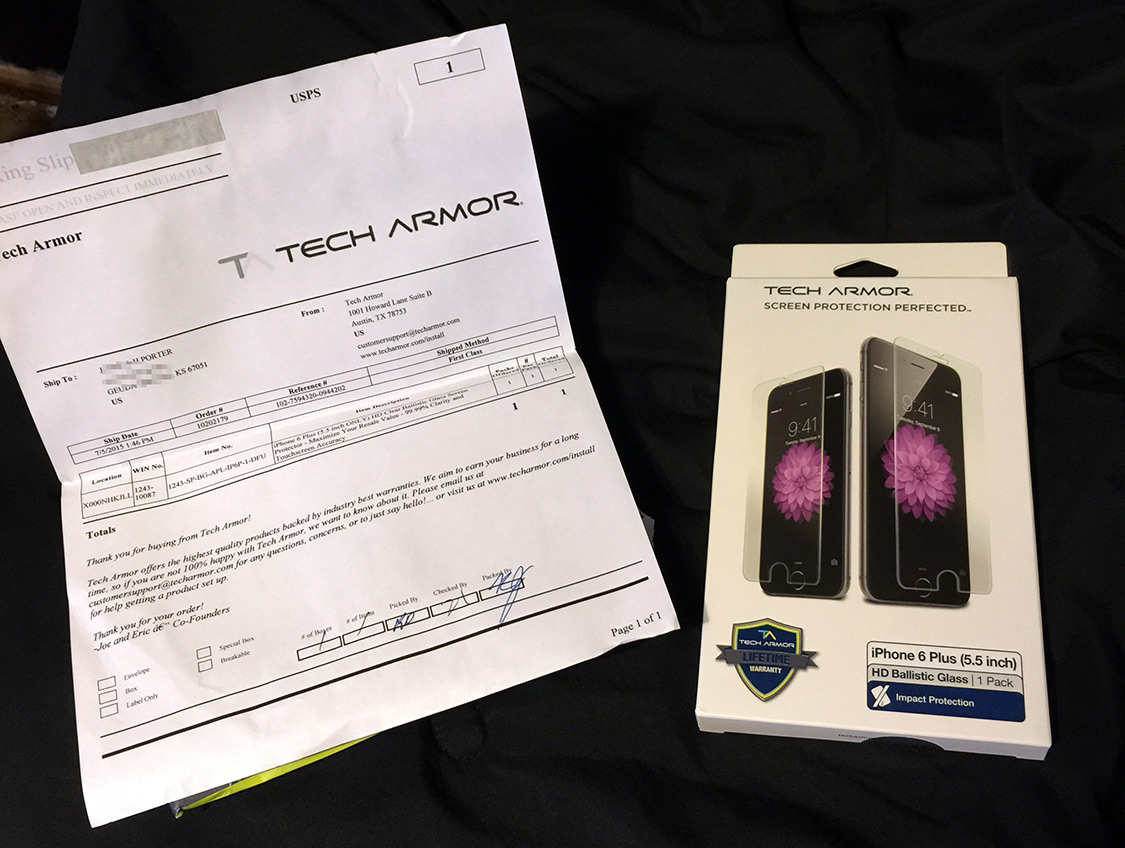 Tech Armor Retail Package[/caption]
Unlike the InvisibleShield, the Tech Armor protector game with many tools to help apply the screen properly, such as full instructions, which also linked to an Online Video if anyone needed more help, a cleaning cloth, alcohol wipe, hard plastic thing to help get bubbles out, and some sticky dust remover tape?. The tape actually was the most helpful. Such a simple idea, no idea why Zagg doesn't provide them with the InvisibleShield.
[caption id="attachment_2419" align="alignleft" width="265"]
Tech Armor Retail Package[/caption]
Unlike the InvisibleShield, the Tech Armor protector game with many tools to help apply the screen properly, such as full instructions, which also linked to an Online Video if anyone needed more help, a cleaning cloth, alcohol wipe, hard plastic thing to help get bubbles out, and some sticky dust remover tape?. The tape actually was the most helpful. Such a simple idea, no idea why Zagg doesn't provide them with the InvisibleShield.
[caption id="attachment_2419" align="alignleft" width="265"] Tech Armor Protector[/caption]
The Protector applied without a single issue. I actually placed it on wrong and the positioning was out of place, but unlike the InvisibleShield, I was able to easily take it back off and replace it. It doesn't seem to instantly stick the way the InvisibleShield does. It's actually quite magical looking when it finally sticks because you basically touch it with your finger firmly in the middle and you can see the air between the protector and screen get squeezed out all by itself. Than wallah! Its applied.
Applying the Tech Armor was completely effortless, other than cleaning the phones screen.
[caption id="attachment_2420" align="alignright" width="300"]
Tech Armor Protector[/caption]
The Protector applied without a single issue. I actually placed it on wrong and the positioning was out of place, but unlike the InvisibleShield, I was able to easily take it back off and replace it. It doesn't seem to instantly stick the way the InvisibleShield does. It's actually quite magical looking when it finally sticks because you basically touch it with your finger firmly in the middle and you can see the air between the protector and screen get squeezed out all by itself. Than wallah! Its applied.
Applying the Tech Armor was completely effortless, other than cleaning the phones screen.
[caption id="attachment_2420" align="alignright" width="300"] Tech Armor Contents[/caption]
It's hard to compare the quality of the Tech Armor, and the InvisibleShield. They are both crystal clear smooth displays with rounded edges. The Tech Armor Glass feels a bit thicker, I can feel it it around my thumb when I push the home button, but its not much thicker. I can't actually find the dimensions online for it though. It's not a bad thing that its thicker, because unlike the super thing InvisibleShield, the Tech Armor glass didn't crack when during the application process.
[g1_quote author_image="http://www.grunch.com/legacy/uploads/2015/07/ta_logo_white.png" g1_quote author_name="Tech Armor" author_url="http://www.techarmor.com/warranties-replacements-refunds" author_description_format="%link%" align="center" size="s" style="solid" template="01"]
Replacements
As screen protectors can be challenging to install, even for the best of us, we again offer the best warranty in the business. We will replace screen protectors that are messed up during the installation process, or are damaged in use, FREE of Charge. At our discretion we will even offer to pay the freight to get the replacements to you. We want your device protected, the Tech Armor way.
[/g1_quote]
[caption id="attachment_2416" align="alignright" width="300"]
Tech Armor Contents[/caption]
It's hard to compare the quality of the Tech Armor, and the InvisibleShield. They are both crystal clear smooth displays with rounded edges. The Tech Armor Glass feels a bit thicker, I can feel it it around my thumb when I push the home button, but its not much thicker. I can't actually find the dimensions online for it though. It's not a bad thing that its thicker, because unlike the super thing InvisibleShield, the Tech Armor glass didn't crack when during the application process.
[g1_quote author_image="http://www.grunch.com/legacy/uploads/2015/07/ta_logo_white.png" g1_quote author_name="Tech Armor" author_url="http://www.techarmor.com/warranties-replacements-refunds" author_description_format="%link%" align="center" size="s" style="solid" template="01"]
Replacements
As screen protectors can be challenging to install, even for the best of us, we again offer the best warranty in the business. We will replace screen protectors that are messed up during the installation process, or are damaged in use, FREE of Charge. At our discretion we will even offer to pay the freight to get the replacements to you. We want your device protected, the Tech Armor way.
[/g1_quote]
[caption id="attachment_2416" align="alignright" width="300"] iPhone 6 Tech Armor Protector[/caption]
The Tech Armor warranty is even better, like Zagg, Tech Armor offers a Lifetime warranty, but unlike Zagg, Tech Armor doesn't charge a dime, and there doesn't seem to be a sneaky process to recharge you full price for the product.
For less than $10, this is a no brainer. With Zagg you just over pay for no good reason and get sub par quality, Skip the Zagg over priced garbage, and go with Tech Armor. You will not regret it.
Update: September 24, 2015 - Last week I noticed the screen protector got shattered on an edge. Not sure how though. On Monday the 21st I went to Tech Armor's warrant replacement page, filled out the info, and submitted the form.
On Thursday I received the replacement in the mail. WOW! The replacement wasn't just a screen, it was the full retail product in the full retail box just as I had gotten originally. This is seriously amazing!
There were no costs with the replacement. Simply submit the form, that's it. Didn't have to prove to them that it's broken as you do with Zagg. I'm actually shocked by how easy this was.
Amazing company.
Update October 10th, 2015 - AMAZING! The replacement screen got messed up when I tried to apply it. I went to order another one, but decided to see if the warranty would cover it again, and today I got another replacement. CRAZY! In a good way. The next one I will pay for. This company is truly amazing.
[rwp-review id="0"]
iPhone 6 Tech Armor Protector[/caption]
The Tech Armor warranty is even better, like Zagg, Tech Armor offers a Lifetime warranty, but unlike Zagg, Tech Armor doesn't charge a dime, and there doesn't seem to be a sneaky process to recharge you full price for the product.
For less than $10, this is a no brainer. With Zagg you just over pay for no good reason and get sub par quality, Skip the Zagg over priced garbage, and go with Tech Armor. You will not regret it.
Update: September 24, 2015 - Last week I noticed the screen protector got shattered on an edge. Not sure how though. On Monday the 21st I went to Tech Armor's warrant replacement page, filled out the info, and submitted the form.
On Thursday I received the replacement in the mail. WOW! The replacement wasn't just a screen, it was the full retail product in the full retail box just as I had gotten originally. This is seriously amazing!
There were no costs with the replacement. Simply submit the form, that's it. Didn't have to prove to them that it's broken as you do with Zagg. I'm actually shocked by how easy this was.
Amazing company.
Update October 10th, 2015 - AMAZING! The replacement screen got messed up when I tried to apply it. I went to order another one, but decided to see if the warranty would cover it again, and today I got another replacement. CRAZY! In a good way. The next one I will pay for. This company is truly amazing.
[rwp-review id="0"]
Recommended Comments